
Naming

After connecting to the Smart Building Automation system via the app, all connected elements (lights, blinds, heating circuits, etc.) should be assigned a name and a room. This makes the elements easier to find and operate and also provides access to additional functions.
Select

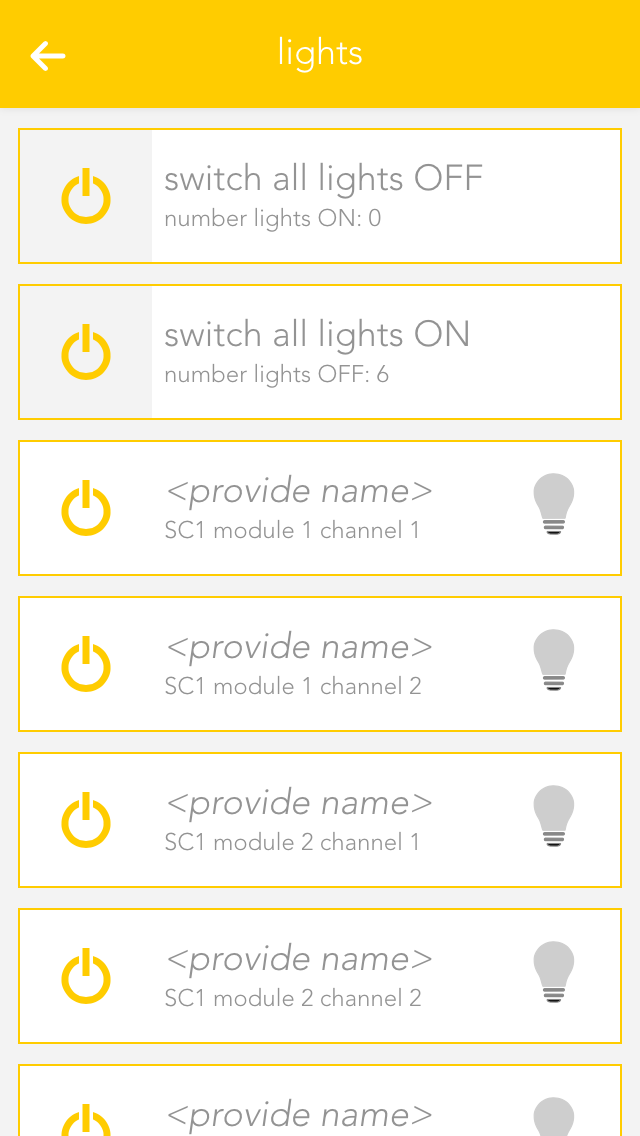
Open "Lights", "Blinds", or "Room Climate", depending on which elements are to be configured.

The app displays a list of central functions followed by the individual elements. These elements correspond to the channels of the Smart Building Automation modules. Further information about the central functions can be found in the corresponding documentation.

Select the area displaying the name and room, in this example "no name" and "no room", to open the settings for the corresponding element.

Provide Name and Room

Enter the name of the device in the field “name”. You can type any name in here, or use a predefined name by tapping on the small arrow.

Tap on the field to select a room. The system already has a predefined few names that you can use. If you cannot find a suitable room in the list, create one in the settings -> areas and custom rooms.

You do not need to specifically save your changes, simply tap on the arrow symbol in the menu bar.

Choose a distinctive name depending on the device and purpose like: ceiling light, ambient, radiator or wall heating.