
Updates
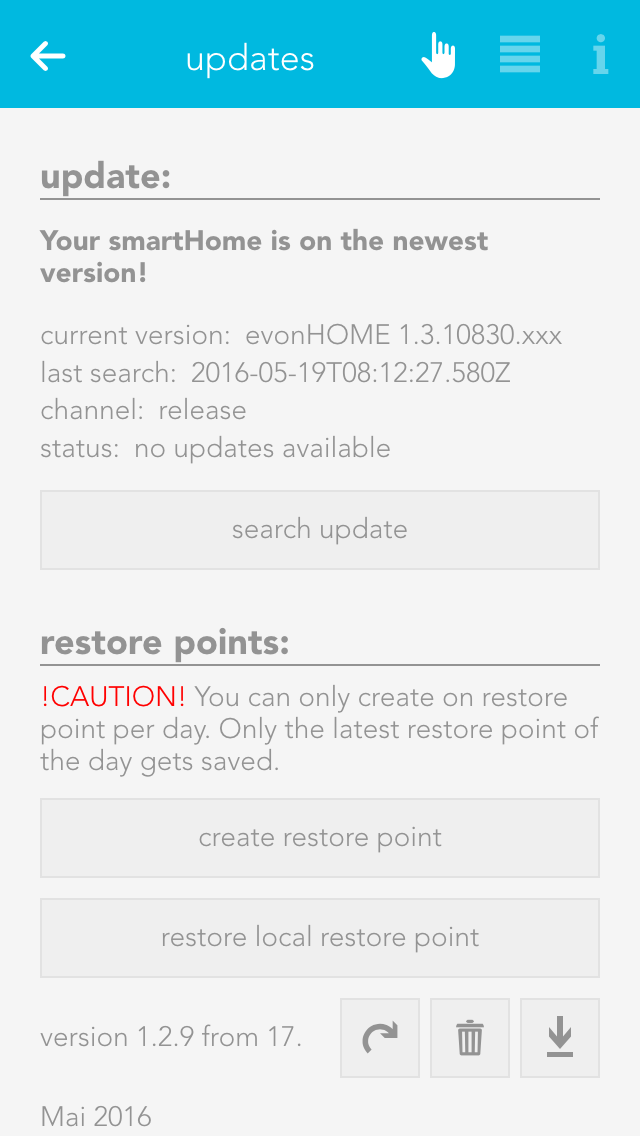
The Updates section allows you to keep the Smart Building Automation system up to date. Select "Search for updates" to check whether a new update is available. If an update is found, select "Execute update" to install it. To have the system check for updates automatically, enable "Search for updates automatically" in the OperatorPanel. The current version, the time of the last update, and the selected update channel are also displayed here.
Recovery points can be created to restore the Smart Building Automation system to an earlier configuration if settings are changed unintentionally. It is recommended to create a recovery point once elements such as lights and blinds have been named and configured as required. The "Reset to factory settings" button restores the system to its original factory settings.
Saved recovery points are displayed in a list and can be deleted, restored, or downloaded at any time.
One recovery point can be created per day. If multiple recovery points are created on the same day, only the most recent one is retained. A previously downloaded recovery file can also be used to restore the system via "Restore local recovery point".
A recovery point of the current configuration is created automatically before every update.