Daikin
Via the Daikin app, compatible Daikin air conditioners can be integrated into the system, controlled via the visualisation and linked to other functions via scenes.
You can find the application under 'Settings' - 'Daikin'.

Via the Daikin app, compatible Daikin air conditioners can be integrated into the system, controlled via the visualisation and linked to other functions via scenes.
You can find the application under 'Settings' - 'Daikin'.
Air conditioners connected to the ONECTA account can be found via the Daikin panel
If no account is connected yet, you will be asked to log in.
In order to be able to find the device via the cloud integration, it must first be configured in the ONECTA app.
https://play.google.com/store/apps/details?id=com.daikineurope.online.controller&hl=de&gl=US
https://apps.apple.com/at/app/onecta/id1474811586
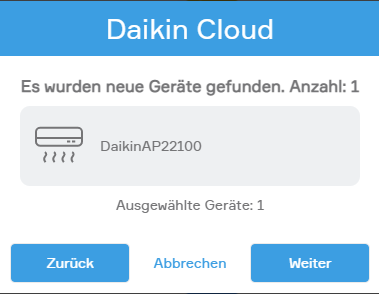
All devices found are selected by default and can be added. If a device is not to be added, it can be deselected by clicking on the grey area.
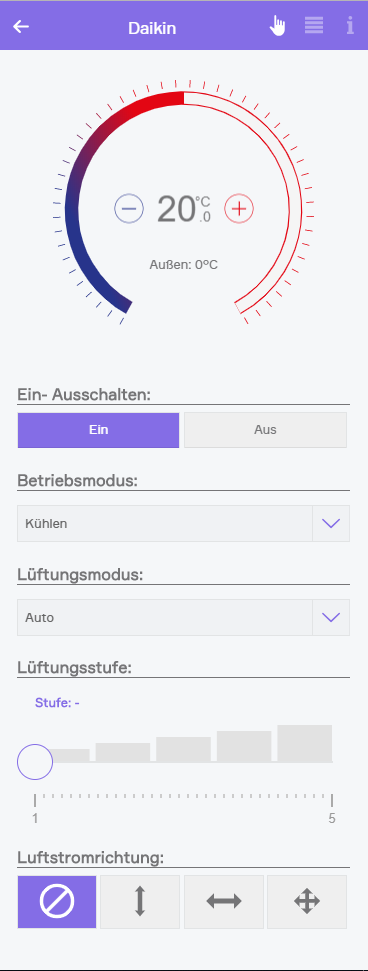
Once the Daikin air conditioner has been successfully integrated into the system, several controls are available.
The temperature, operating state, and operating mode can be adjusted.
The ventilation mode can also be changed from "Automatic" to "Manual" or "Silent" (if supported by the Daikin unit). In manual mode, the fan speed can be adjusted.
In addition, the airflow direction can be configured.
All settings can also be controlled via scenes. For example, the ventilation level or temperature can be changed as soon as the defined "if ..." conditions are met.
The Daikin App provides the following triggers for scenes (if ...):
The Daikin App offers the following functions for scenes (then ...):
It should be noted that not every type of unit provides all functions.