
Create
To use a counter with the corresponding app, it must first be connected to a digital input of the Smart Building Automation system. A digital input on the controller (DI1–DI4) or on a Schrack Smart Building Automation digital module, such as the "D1180" or "D1344", can be used for this purpose. Then follow these steps:
If no counter has been created in the Smart Building Automation system yet, a digital input must first be configured accordingly.
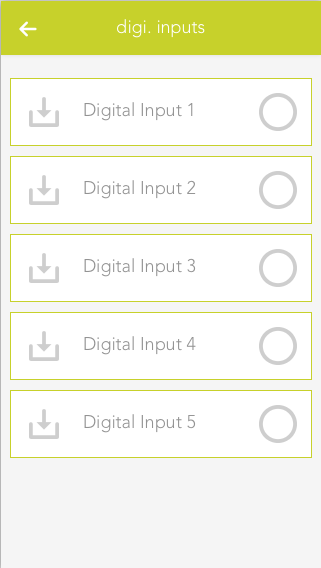
Navigate to the digital inputs under "All Apps" – "Digital Inputs", select the desired input, and open the ParameterPanel.
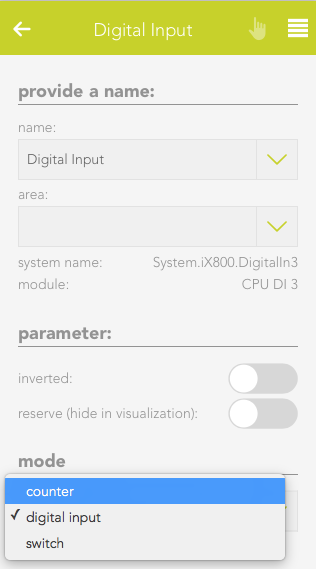
Under "Mode", select "Counter". The digital input is then configured as a counter and displayed in the "Counter" app.